
Introduction
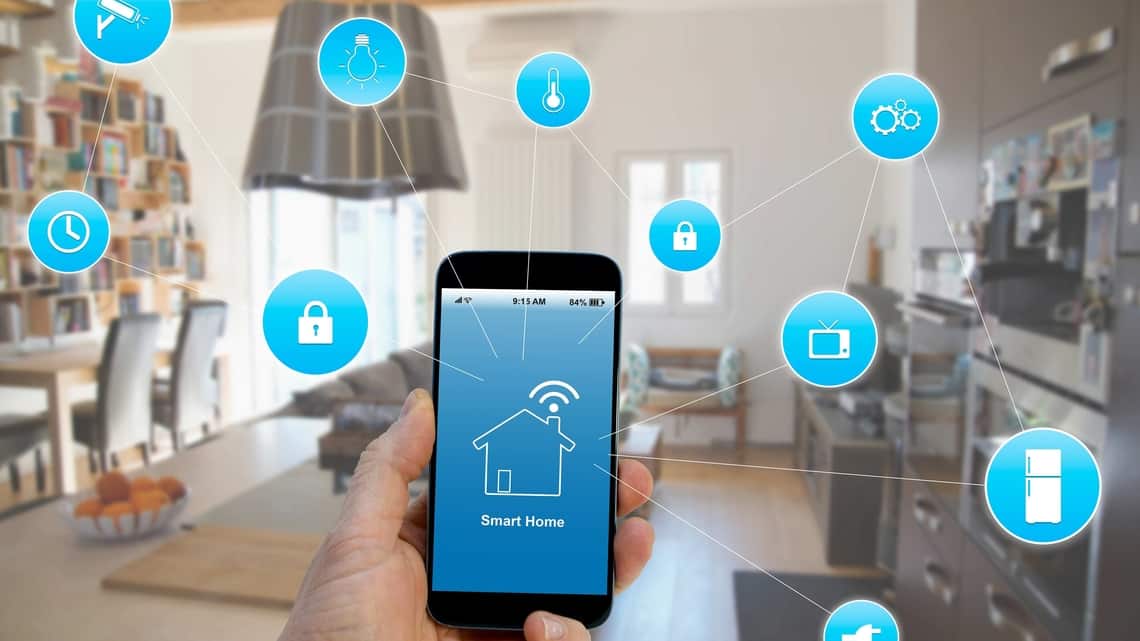
The concept of a smart home has evolved from a futuristic idea to an everyday reality. With advancements in technology, homeowners can now automate lighting, security, entertainment, and even kitchen appliances with just a few taps on their smartphones.
However, setting up a smart home can be overwhelming, especially for beginners. With so many devices, platforms, and protocols available, knowing where to start is crucial. This guide provides essential smart home setup tips to help you create a seamless, efficient, and secure automated home.
1. Plan Your Smart Home Ecosystem
Before purchasing any smart devices, it’s important to define your goals and priorities. Ask yourself:
- What do I want to automate? (Lighting, security, climate control, etc.)
- What is my budget?
- Do I prefer a centralized system or standalone devices?
- Which voice assistant do I want to use? (Google Assistant, Amazon Alexa, Apple HomeKit, etc.)
Choosing a Smart Home Platform
Most smart devices work with one or more of the following ecosystems:
- Amazon Alexa – Best for voice control and wide compatibility.
- Google Assistant – Great for seamless integration with Android and Google services.
- Apple HomeKit – Ideal for iPhone users with a focus on privacy.
- Samsung SmartThings – A flexible hub that supports multiple protocols (Zigbee, Z-Wave, Wi-Fi).
Pro Tip: Stick to one ecosystem for better compatibility and easier management.
2. Ensure a Strong Wi-Fi Network
A stable and fast internet connection is the backbone of any smart home. Here’s how to optimize your network:
- Upgrade Your Router: Invest in a dual-band or tri-band Wi-Fi 6 router for better performance.
- Use Mesh Wi-Fi Systems (like Google Nest Wi-Fi or Eero) for larger homes to eliminate dead zones.
- Assign Static IPs or Reserved DHCP for critical smart devices to prevent connectivity drops.
- Set Up a Guest Network for smart devices to enhance security.
3. Start with Essential Smart Devices
If you’re new to smart homes, begin with these basic yet powerful devices:
A. Smart Lighting
- Smart Bulbs (Philips Hue, LIFX) – Control brightness and color via app or voice.
- Smart Switches (Lutron Caseta) – Replace traditional switches for a more permanent solution.
Tip: Use motion sensors or schedules to automate lighting.
B. Smart Plugs
- Use smart plugs (TP-Link Kasa, Wemo) to turn regular appliances into smart ones.
- Great for lamps, coffee makers, and fans.
C. Smart Thermostat
- Nest Learning Thermostat or Ecobee – Saves energy by learning your habits.
- Works with voice assistants and geofencing.
D. Smart Security
- Video Doorbells (Ring, Nest Hello) – See and talk to visitors remotely.
- Smart Locks (August, Yale) – Keyless entry and remote access.
- Security Cameras (Arlo, Wyze) – Indoor/outdoor monitoring with cloud storage.
E. Smart Speakers & Displays
- Amazon Echo, Google Nest Hub, or Apple HomePod – Central control for your smart home.
4. Automate with Routines and Scenes
Instead of controlling each device individually, set up automated routines:
- “Good Morning” Routine – Turns on lights, adjusts thermostat, and reads the news.
- “Away Mode” – Activates security cameras, locks doors, and turns off lights.
- “Movie Night” – Dims lights, lowers blinds, and turns on the TV.
Platforms like Alexa, Google Home, and Apple Home allow easy automation.
5. Prioritize Security & Privacy
Smart homes are vulnerable to hacking if not secured properly. Follow these steps:
- Change Default Passwords on all devices.
- Enable Two-Factor Authentication (2FA) where available.
- Regularly Update Firmware to patch vulnerabilities.
- Use a VPN for Remote Access if accessing cameras or locks outside your home.
- Disable Unnecessary Features (like remote access if not needed).
6. Expand with Advanced Smart Home Devices
Once you’re comfortable, consider adding:
- Robot Vacuums (Roomba, Roborock) – Automated cleaning.
- Smart Blinds/Curtains (Lutron Serena, IKEA) – Voice or schedule-controlled.
- Leak Detectors (Phyn, Moen) – Prevent water damage.
- Smart Garage Door Openers (MyQ, Tailwind) – Remote access via app.
7. Troubleshooting Common Smart Home Issues
Even the best setups face occasional problems. Here’s how to fix them:
- Device Not Responding? Restart the device and check Wi-Fi.
- Voice Assistant Not Working? Ensure the device is linked to the correct account.
- Slow Performance? Reduce the number of devices on a single Wi-Fi band.
- Compatibility Issues? Check if the device works with your chosen ecosystem.
8. Future-Proof Your Smart Home
Technology evolves rapidly. To keep your smart home up-to-date:
- Choose Devices with Local Control (like Zigbee or Z-Wave) to reduce cloud dependency.
- Invest in Matter-Compatible Devices – A new universal smart home standard for better interoperability.
- Avoid Overloading Your Network – Too many devices can slow down performance.
Conclusion
Setting up a smart home doesn’t have to be complicated. By planning carefully, starting with essentials, optimizing your network, and prioritizing security, you can create a seamless and efficient automated living space.
Whether you’re a beginner or an advanced user, these smart home setup tips will help you build a system that enhances convenience, security, and energy efficiency.
Ready to transform your home? Start small, automate wisely, and enjoy the future of living!
 Mr Battery